100% browser-based — your files never leave your device
Compress images.
Convert HEIC.
Right in your browser.
Reduce file sizes up to 80% and convert HEIC to JPEG or PNG — free, private, and instant. No uploads, no servers.
Why SlimPix?
No accounts. No uploads. No limits. Everything runs locally in your browser.
100% Private
All processing happens in your browser. Files never leave your device.
No Upload Needed
Zero server-side processing means zero wait time for uploads.
Batch Processing
Compress or convert multiple files at once. Download them individually or as a zip.
Free to Use
No sign-up, no limits, no watermarks. Just drag, drop, and download.
Frequently Asked Questions
Everything you need to know about SlimPix.
What is SlimPix?
SlimPix is a free online image tool that compresses JPEG, PNG, and WebP files and converts HEIC photos to JPEG or PNG. Everything runs 100% in your browser — your files are never uploaded to any server.
Is SlimPix really free?
Yes. SlimPix is completely free to use with no sign-up, no limits, and no watermarks. Compress and convert as many images as you need.
Are my images safe with SlimPix?
Absolutely. All processing happens locally in your web browser using JavaScript and Web Workers. Your images never leave your device — SlimPix has zero access to your files.
What formats does SlimPix support?
SlimPix supports compressing JPEG, PNG, and WebP images. It can also convert between these formats. For Apple HEIC/HEIF photos, SlimPix converts them to JPEG or PNG.
Does SlimPix work on mobile?
Yes. SlimPix works in any modern web browser on desktop, tablet, and mobile. For an even more powerful experience on iPhone, check out the SlimPix iOS app.
iOS App
Need more power?
Get SlimPix for iOS.
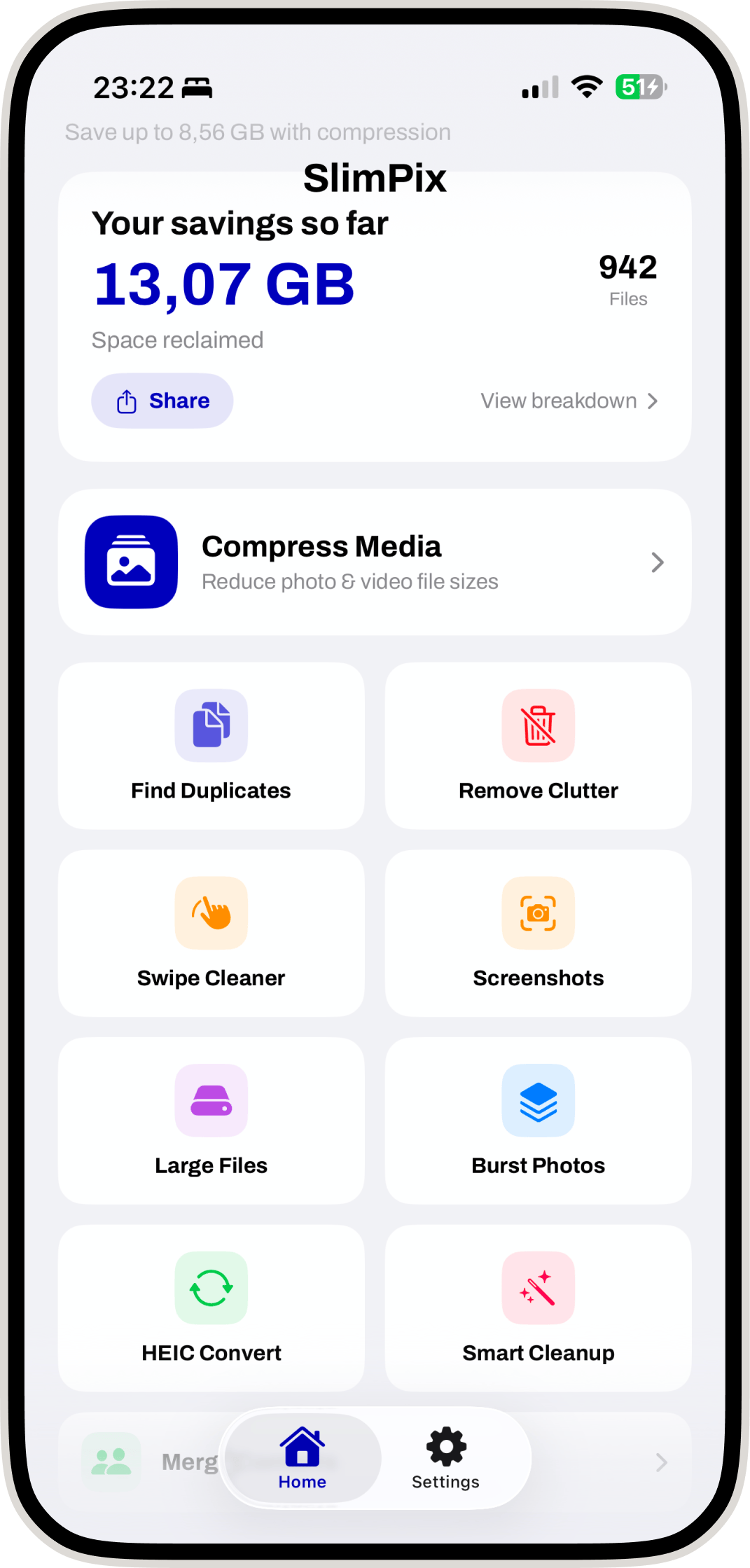
Compress photos & videos, find duplicates, remove clutter, and free up gigabytes of storage — all directly on your iPhone.
Compress photos & videos
Find & delete duplicates
Remove clutter & screenshots
Swipe-based cleaner
HEIC converter
Storage breakdown